

Hardware, Fabrication & Integration
Hardware and fabrication, designed as one working system.
Connect the physical build to the experience. We specify displays and sensing, coordinate the enclosure and bring hardware, software and fabrication together for testing.
Look inside the buildIllustrative object-triggered exhibit plinth.
A connected exhibit you can service.
01 · Setting
Built aroundthe encounter.
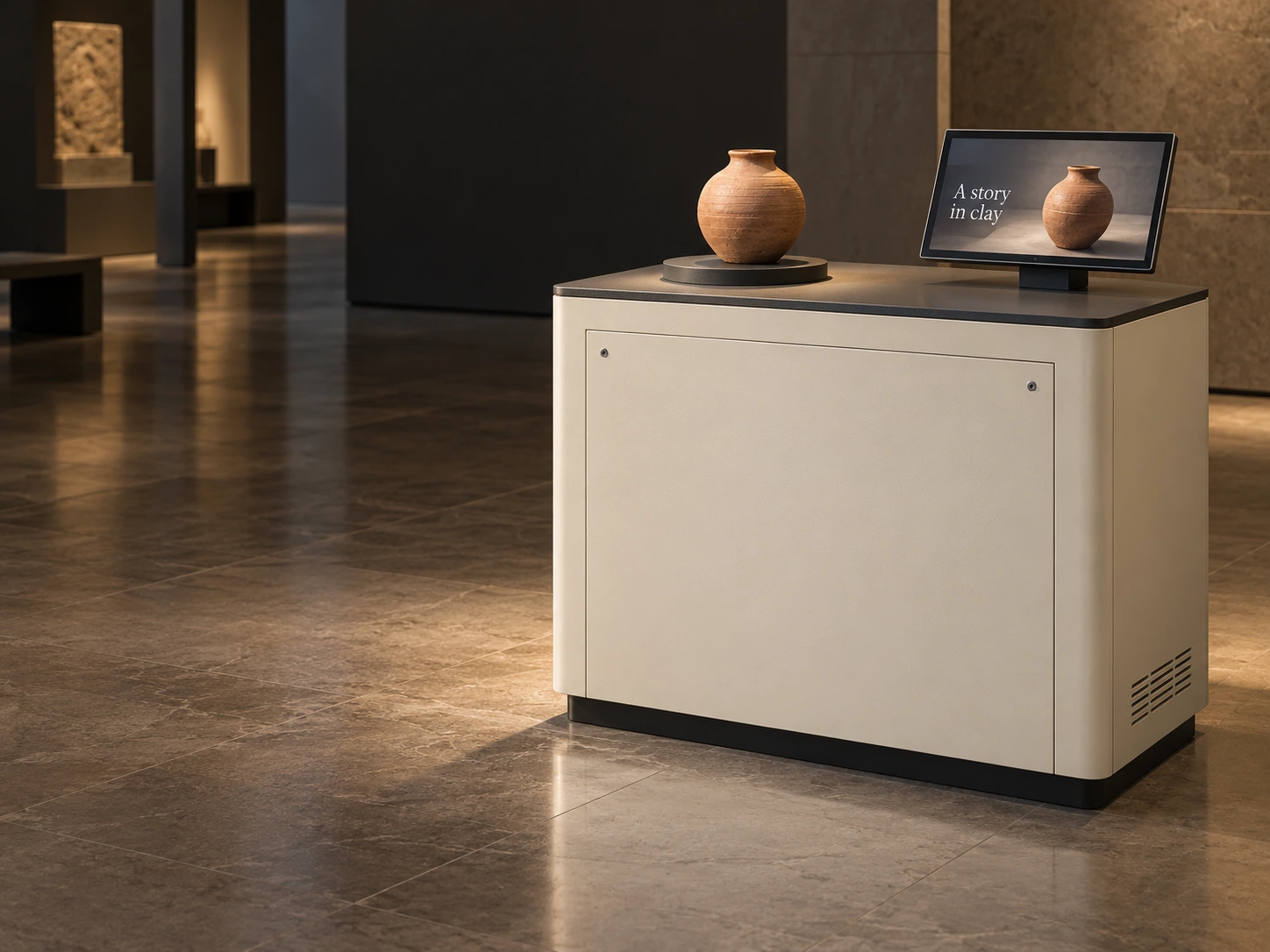
A visitor places an object, then looks up to discover its story. The plinth gives that action a clear, comfortable place to happen.
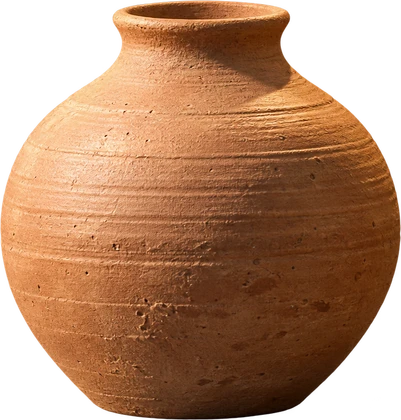
Place the vessel on the reader to reveal its story. Illustrative local demo.
Illustrative configuration · components, sensing and site requirements are agreed for each project.
01 · Setting
01 · Setting
Built around the encounter.
A visitor places an object, then looks up to discover its story. The plinth gives that action a clear, comfortable place to happen.
Audience + site + access. We review approach, reach, viewing distance and the space needed for installation and servicing before the physical form is fixed.
02 · Sensing
An object. A clear response.
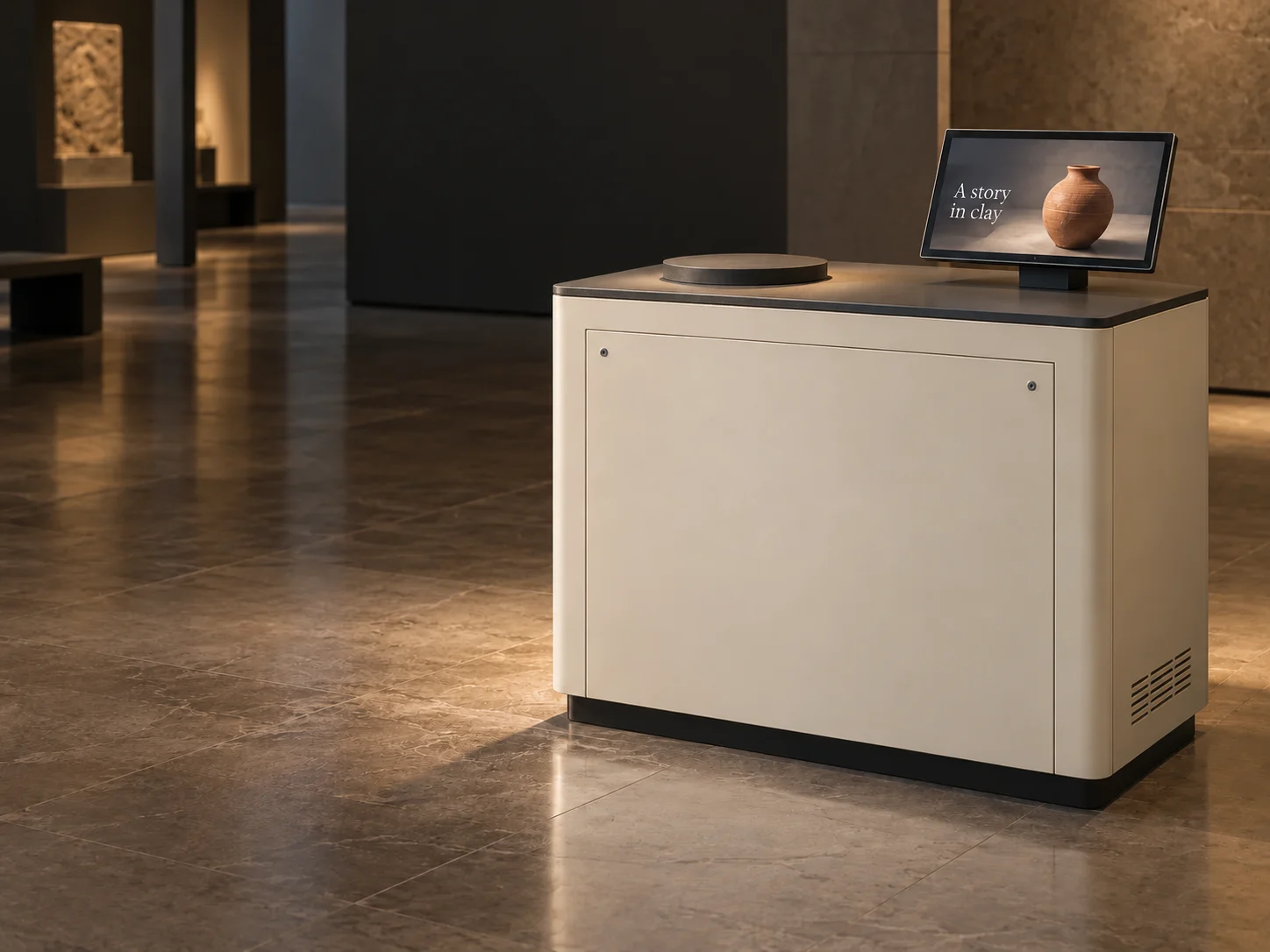
A reader beneath the object pad detects the selected object. The controller connects that input to the content on the display.
Input → controller → display. This example uses an RFID-style sensing route. Reader choice and read behaviour are tested with the actual object and mounting materials.
03 · Anatomy
Built to fit. Made to open.
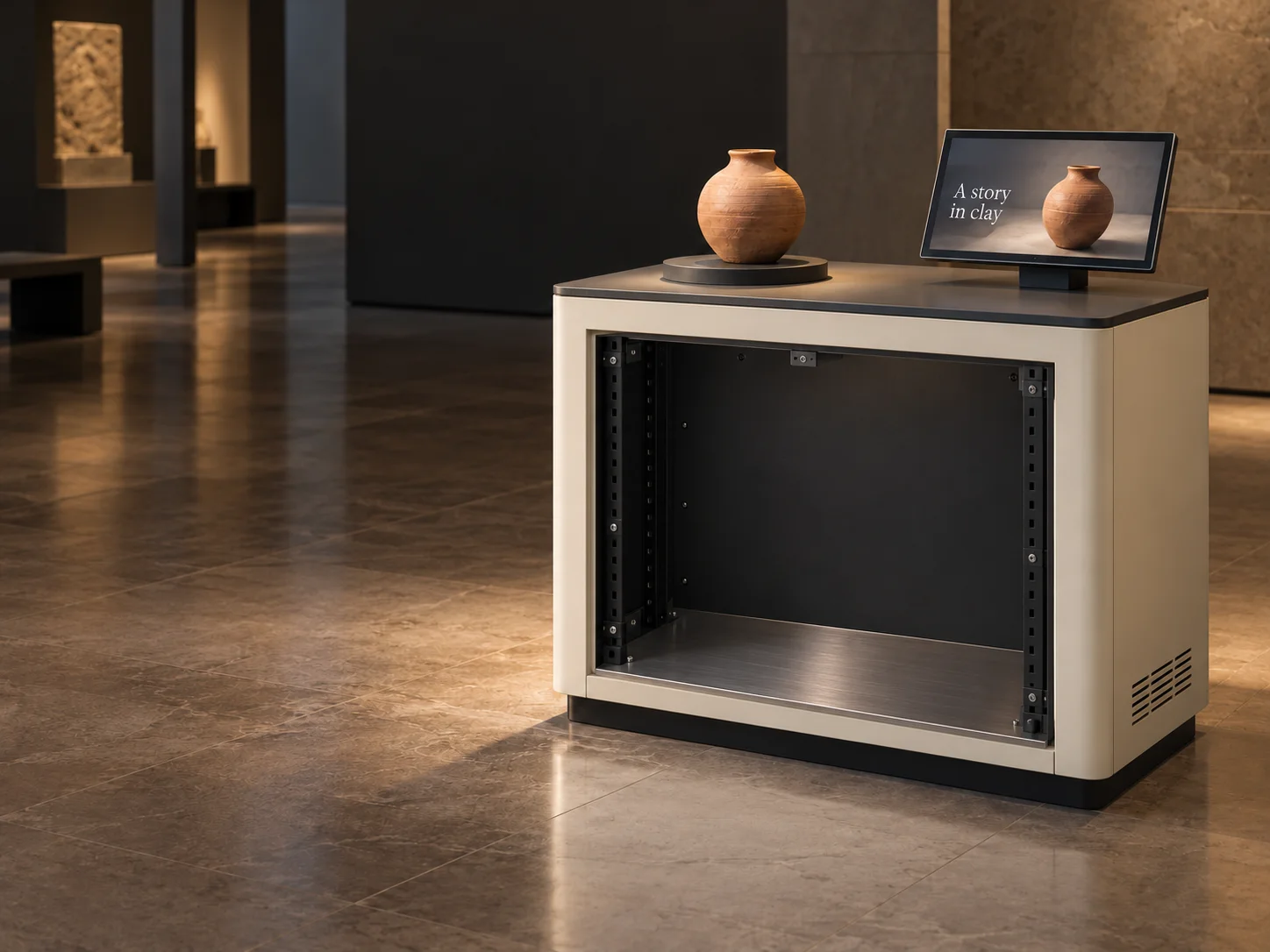
The front panel opens to reveal mounted electronics, reader, power and cable routes. Each part has a place—and a way to be reached.
Fabrication + integration. Mounting, cooling and service access are planned around the selected components.
- Reader + sensing: Tested beneath the object pad.
- Mounted controller: Secured on an accessible tray.
- Power + cable route: Connections with room for access.
- Removable service panel: Reach the equipment bay.
- Story display: A visible response to the object.
04 · Testing
One action. The whole loop.
Follow the input from object to story as the build comes together. Try the demonstration to check the response and return to its starting state.
Integrate before the venue. We check sensing, playback, connections and reset together, recording the agreed tests and the dependencies for onsite commissioning.
05 · Handoff
Ready to install. Ready to reach.
The service opening stays accessible after installation. Equipment positions, connections and operating notes give the onsite team a practical starting point.
A build the team can support. We agree the installation requirements, access, handover and remaining venue or specialist checks for the actual project.
A physical form.
A connected experience.
Interactive hardware integration in Singapore, planned around the audience action and the place it happens. A useful installation brings visibility, reach, sensing, structure and operating requirements into the same build.
Start with the setting
Check how people approach, what they can see and reach, and where equipment can sit. Lighting, mounting, power, network and service access shape the hardware specification before fabrication is fixed.
Give every part a place
Coordinate the display, input device, computer and enclosure. Screen and sensor integration includes brackets, clearances, cooling and cable routes, with responsibilities agreed across the build team.
Test the complete response
Bring the relevant hardware, software and fabricated elements together before the installation window. Test the agreed interaction, access and reset behaviour, then prepare the system for onsite commissioning.
From the component
to the complete build.
Specify + coordinate
Review equipment specifications, object behaviour and site constraints. Set out mounting, access, power and data requirements so the physical and digital teams can work to the same interfaces.
House + connect
Coordinate custom interactive kiosk enclosures, exhibit structures and selected components. Fabrication drawings, finish samples, brackets and cable routes are developed around the agreed build scope.
Integrate + prepare
Assemble the agreed system for integration testing. Record interaction and operating checks, identify dependencies, and prepare installation and service information for the commissioning team.
Illustrative assembly. Components, dimensions, finishes, sensing, fabrication responsibilities and site requirements are selected for each project.
Different builds. Connected thinking.
Format 1 of 5: Touch table assembly
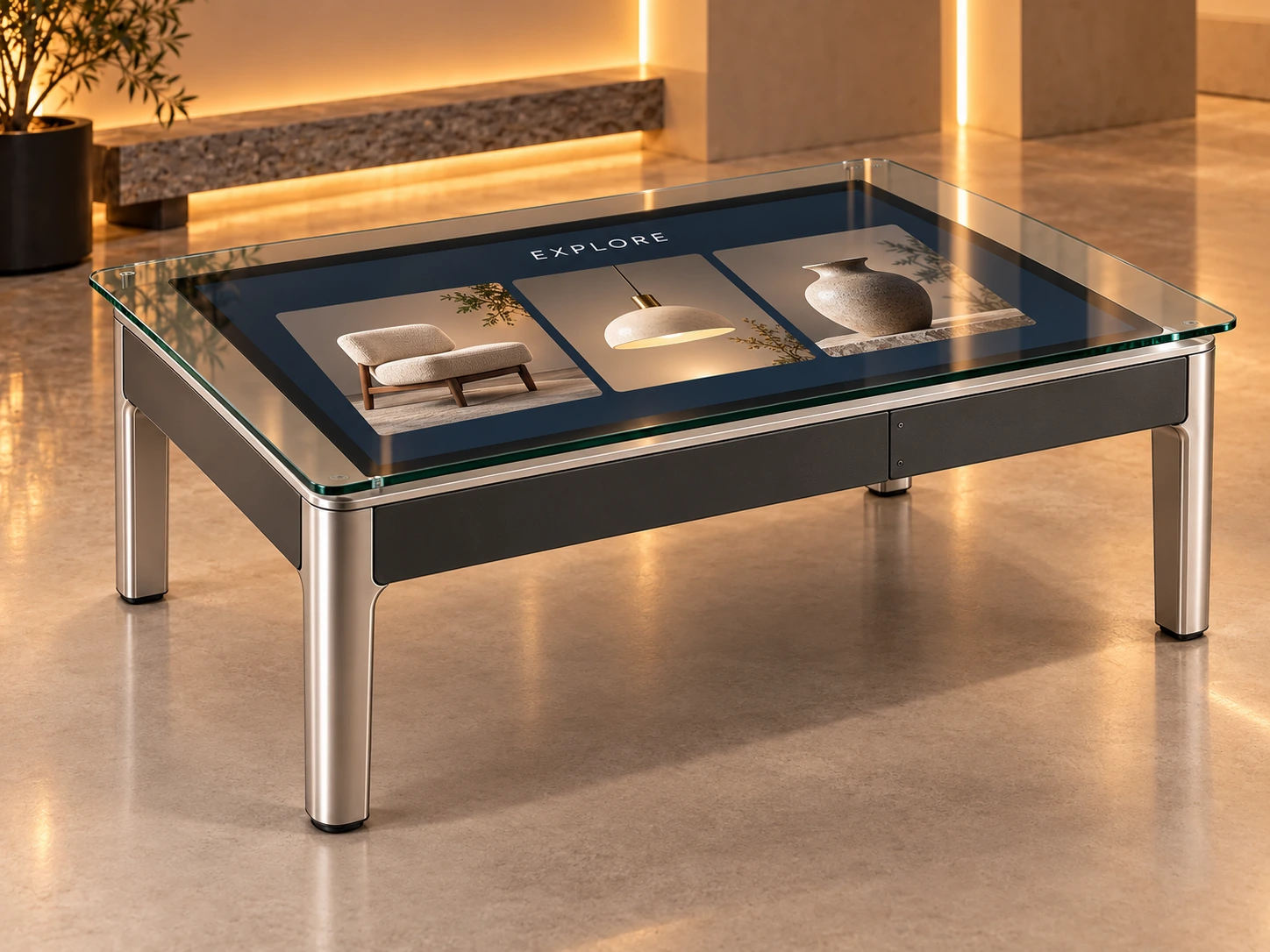
Touch table assembly
Object-triggered exhibit
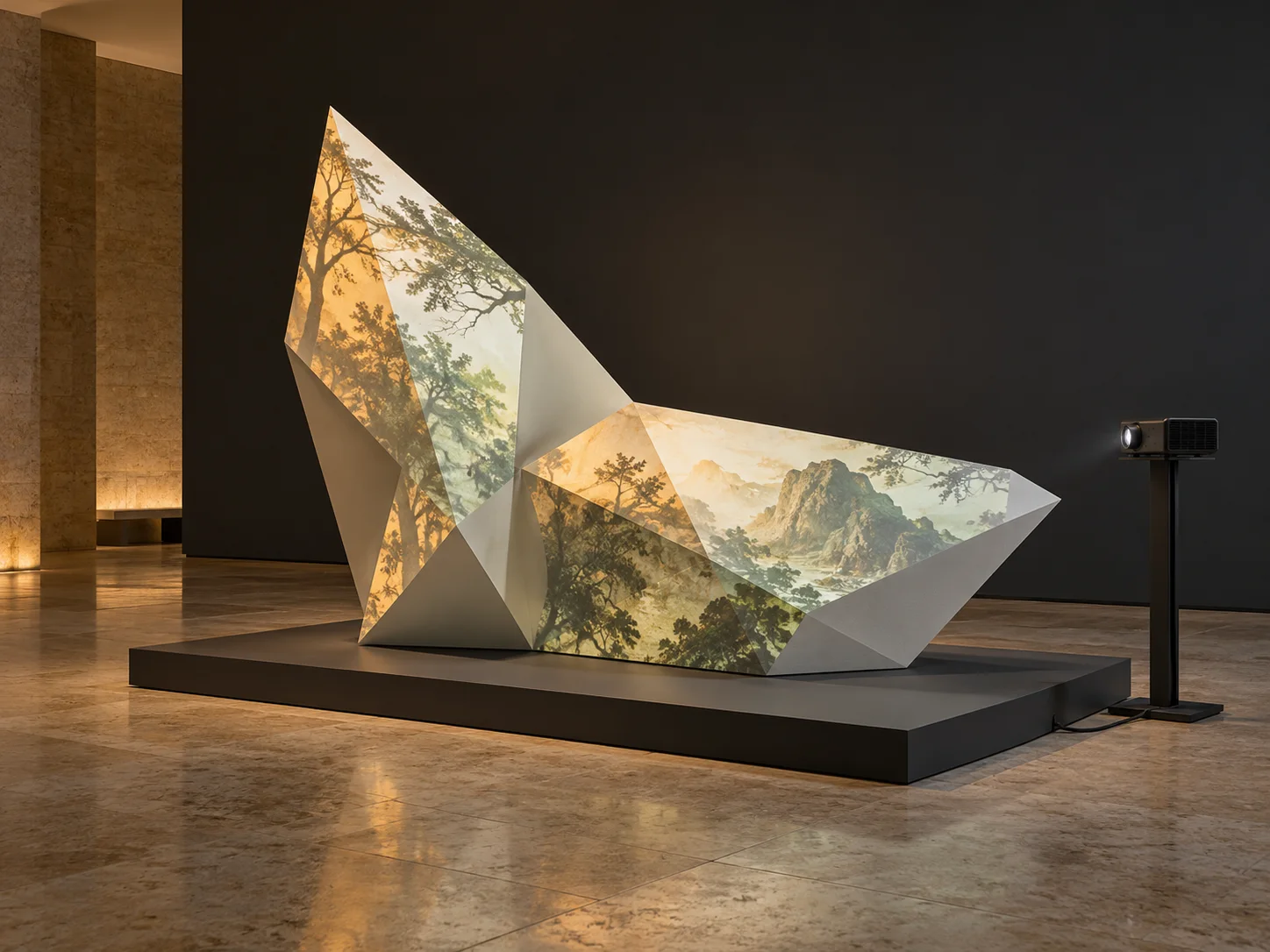
Projection mapped sculpture
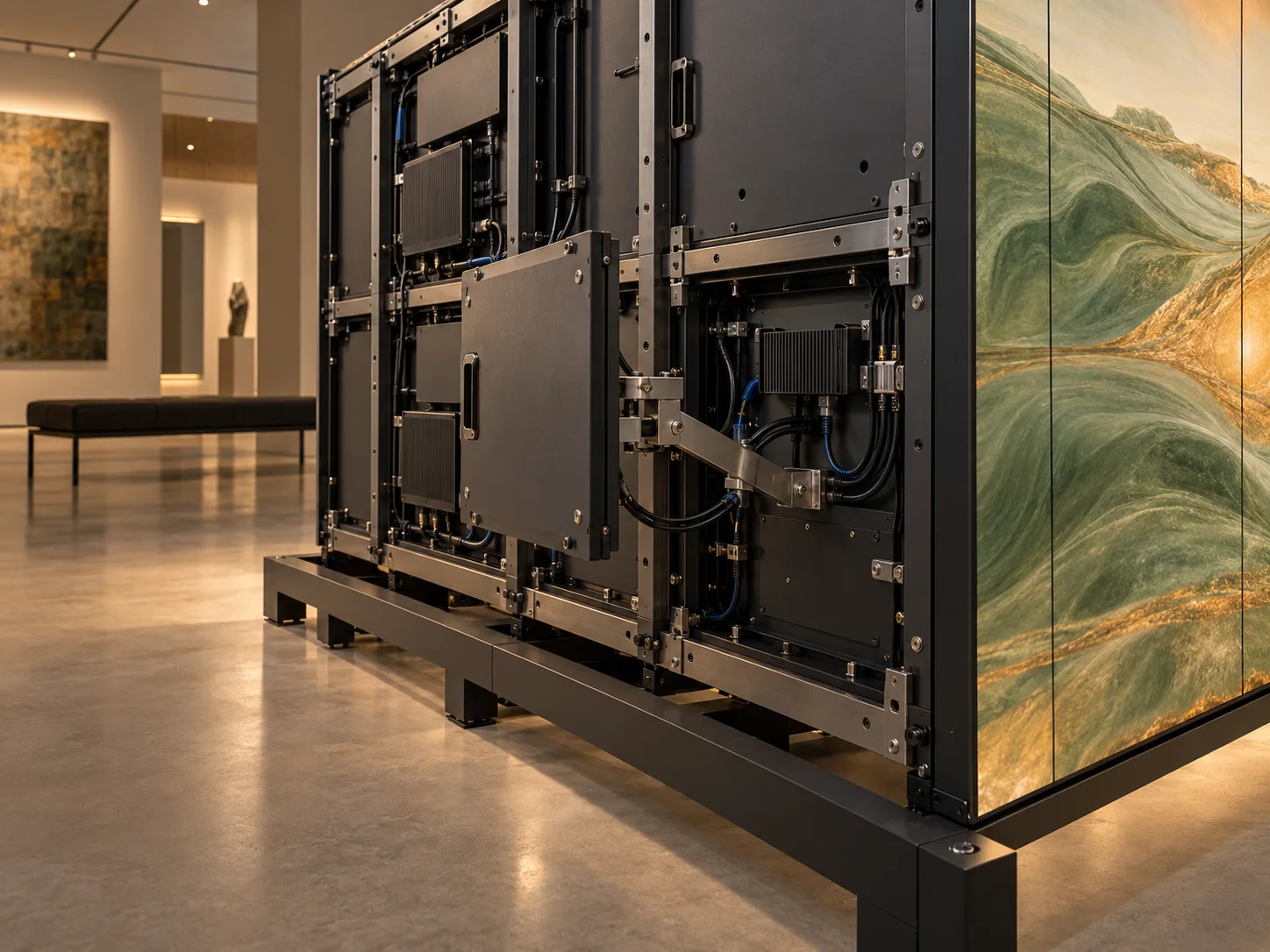
Modular display surface
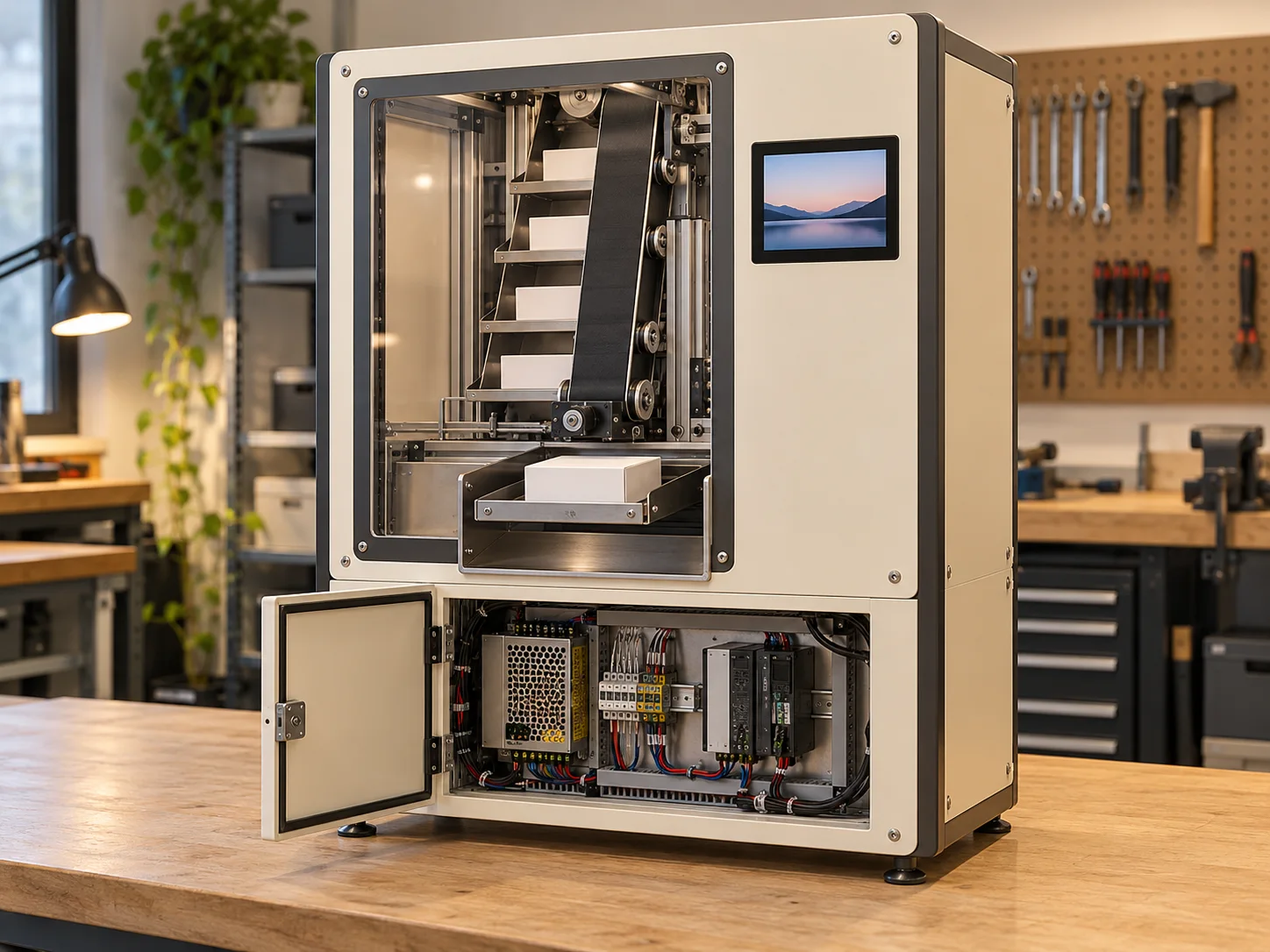
Vending system demonstrator
Touch table assembly
Bring touch glass, display, computer, power and fabricated frame into one usable touchpoint. We coordinate mounting, cable routing, cooling and access around the actual interface and venue. Dimensions and components are selected for the project.
Object-triggered exhibit
Connect a tagged object to a reader and a relevant story. We plan the object pad, sensing position, mounted electronics, display and enclosure as one serviceable installation. Read behaviour and the sensing route are tested with the chosen object.
Projection mapped sculpture
Connect the physical form to the projected content. Surface geometry, finish, projector placement, mounting and cable routes are coordinated with the content and calibration plan. Light levels, material and operating requirements are specific to the venue.
Modular display surface
Plan the support, module alignment and real power and signal routes behind a continuous display. We coordinate the selected wall or floor format with access and operating requirements, then test the integrated output for its intended setting.
Vending system demonstrator
Prototype a physical selection-and-release route with a visible mechanism and equipment access. This is a scoped demonstrator for reviewing integration and behaviour; it is not a standard vending product or an automatic fulfilment promise.
Five illustrative configurations. Equipment suitability and operating conditions are reviewed for the actual setting.
Where the physical
and digital meet.
Documented projects connecting content, physical form and the installed display environment.
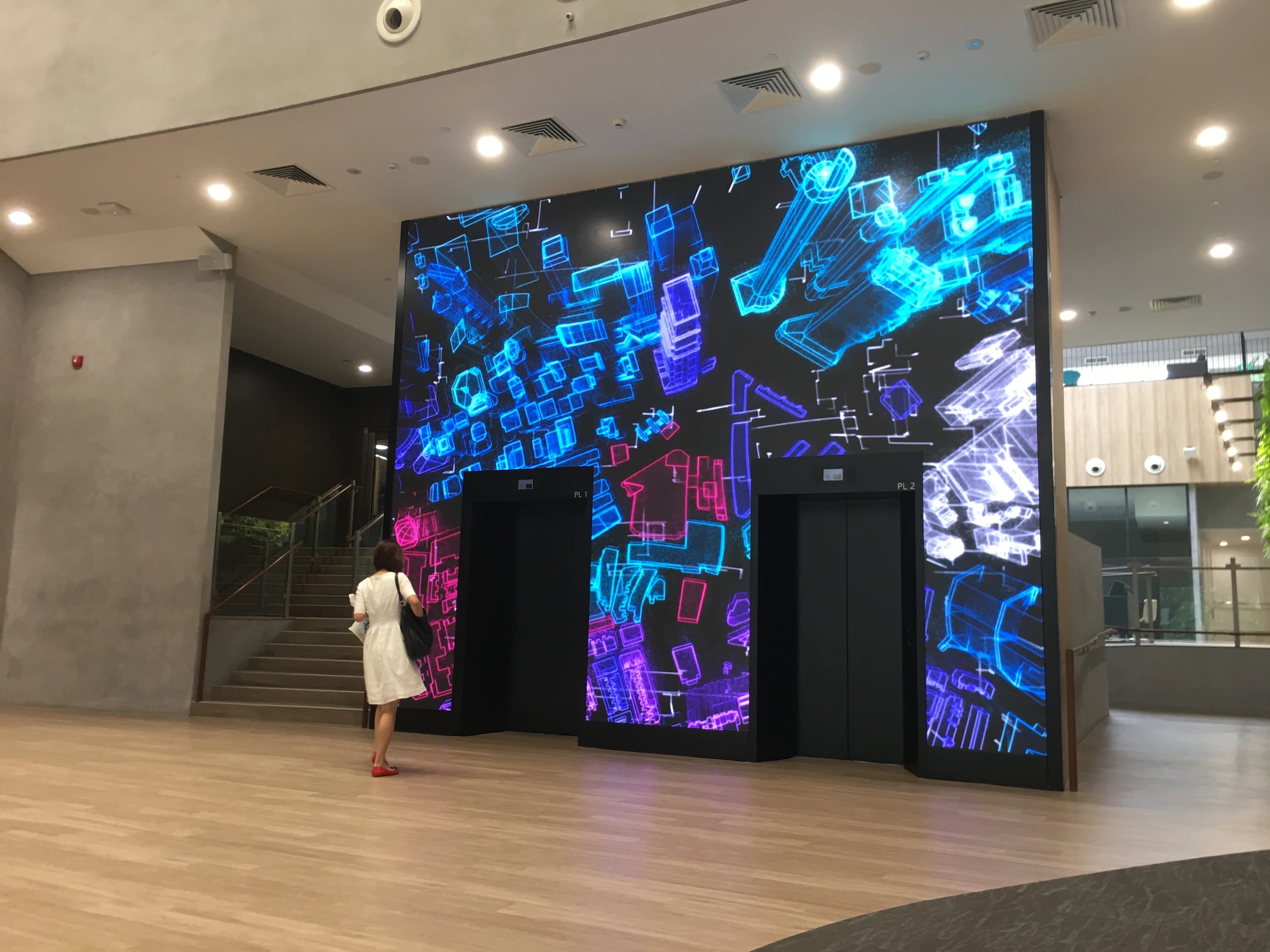
NUS Generative Art Wall
Generative software and display control are integrated with an architectural LED environment.
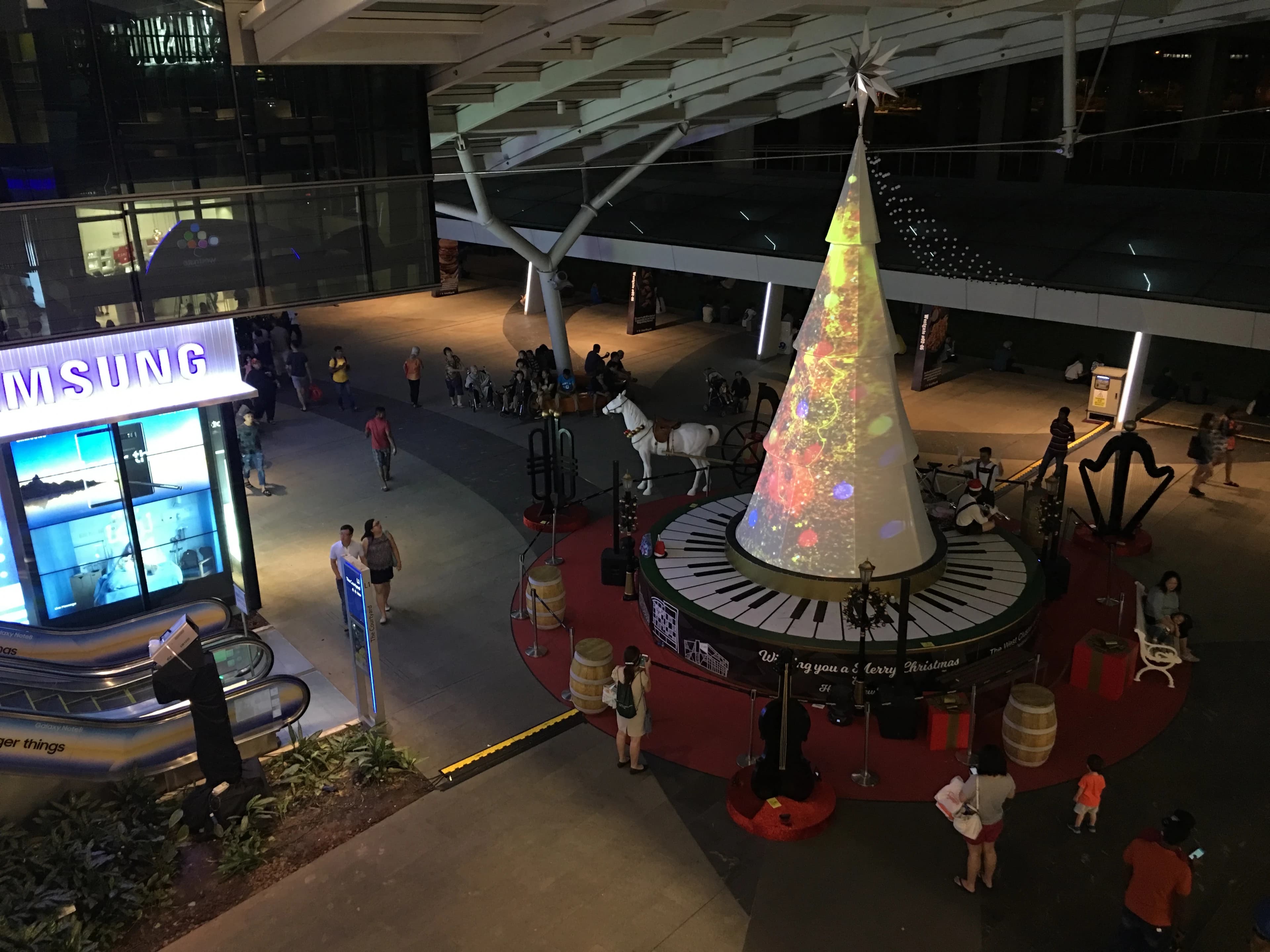
Westgate Christmas Projection Mapping
Projection content follows the tree’s conical form, with spatial calibration and onsite playback integration.
Before the build is fixed.
Can we reuse equipment or a structure we already have?
We review the specifications, dimensions, available interfaces and condition first. Existing equipment may be reusable; compatibility, physical access and suitability for the intended operating conditions are checked before the route is committed.
Will RFID work with our object?
That is a testable question, rather than an assumption. Object material, tag position, reader choice, surrounding metal and the intended handling can affect read behaviour. We test the selected route with the actual objects and mounting.
What does fabrication coordination cover?
Depending on scope: enclosure and structure requirements, finishes, component mounting, clearances, cooling, power/data routes and service access. We agree who designs, fabricates, supplies and installs each element, including specialist partners where needed.
How do we plan access and approvals?
Access panels, equipment removal, connections and operating notes are considered during the build. Venue approvals and electrical or structural responsibilities are identified for the actual installation and agreed with the responsible teams.
What is tested before installation?
We agree the relevant hardware, software and interaction checks: inputs, content response, connections, reset, physical access and the chosen operating setup. The integration record and remaining site dependencies guide onsite commissioning.
Give the ideaa working form.
Share the intended interaction, site plan, equipment constraints and installation window.
Plan your integrated build